
Health Star Rating: what the stars on your food really mean
Those little stars on the front of a cereal box or a tub of yoghurt are back in the news. Food Standards Australia New Zealand is consulting again on making the Health Star Rating compulsory on most packaged foods. Right now it's voluntary, so some products show stars and others don't.
If you've ever stood in the supermarket aisle comparing two muesli bars and wondered what the stars actually mean, here is a plain guide: what the rating measures, how to use it well, where it falls short, and how the Thrive app helps you see what your everyday meals add up to.
What is the Health Star Rating?
The Health Star Rating is a government-led front-of-packet label that rates the overall nutrition of a packaged food from half a star to five stars. The more stars, the better the overall nutrition profile, according to the Better Health Channel.
The rating is worked out with a calculator built with FSANZ and nutrition experts. It weighs up two sets of things, measured per 100 grams or 100 millilitres:
- Things that lower the rating: total energy (kilojoules), saturated fat, sodium (salt) and sugars.
- Things that lift the rating: fibre, protein, and the share of fruit, vegetables, nuts and legumes in the product.
Because every product is scored on the same 100 gram or 100 millilitre basis, two similar products can be compared quickly, even when their serving sizes on the back are very different. You can read more on the Health Star Rating system page from FSANZ.
What is changing?
Under the current system, food companies choose whether to put stars on their products. In its latest announcement, FSANZ proposed that most packaged foods that already need a nutrition information panel would have to show a star rating, with a standard design and location on the packet.
Nothing changes on the shelf yet. FSANZ is consulting on the change, and the stars stay voluntary while it does. FSANZ has also said it supports reviewing the star calculator once the review of the Australian Dietary Guidelines is complete.
How to use the stars well
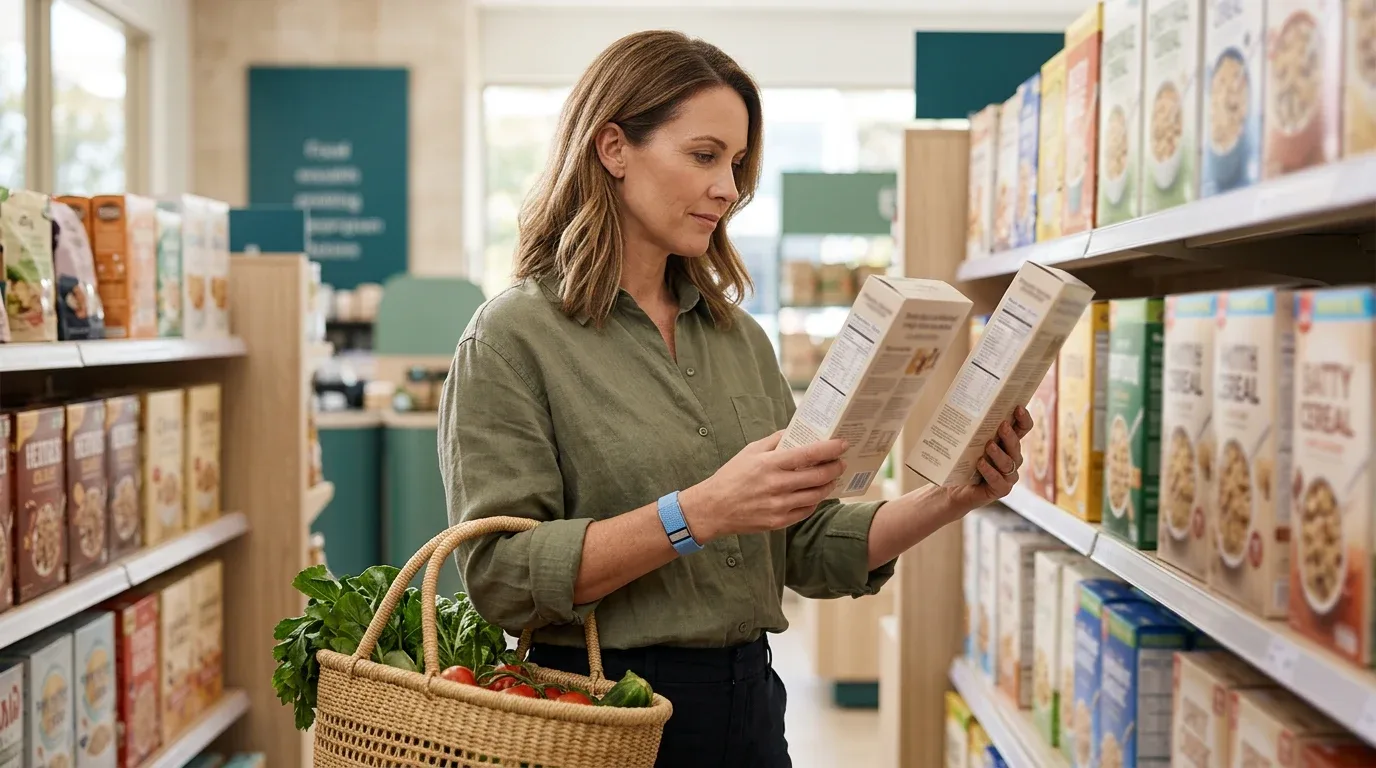
The stars are most useful as a quick comparison between similar foods. Better Health suggests comparing a yoghurt with another yoghurt, or one breakfast cereal with another, rather than comparing a yoghurt with a loaf of bread.
A few habits make them more helpful:
- Compare like with like. Use the stars to pick between two pasta sauces or two crackers, not between a pasta sauce and a cracker.
- Turn the packet over. The nutrition information panel lists energy, protein, fat, saturated fat, carbohydrates, sugars and sodium. Use the "per 100 g" column to compare products, because serving sizes are set by the manufacturer and vary.
- Check the ingredients list. Ingredients are listed from most to least by weight, so the top few tell you what the food is mostly made of.
- Look past the claims. Words like "light" or "baked not fried" don't always mean what you'd expect. Better Health notes that "light" can refer to texture or colour, not just fat or kilojoules.
Where the stars fall short
The stars are a helpful shortcut, but they don't tell the whole story.
- Fresh food usually has no stars. Fresh fruit and vegetables, plain meat and fish, and many other everyday staples don't carry a rating, yet they sit at the heart of the Australian Dietary Guidelines.
- Stars don't consider processing or vitamins. The Health Star Rating system says it doesn't take processing methods or nutrients like vitamins and minerals into account.
- One product isn't a whole day. A five-star cereal with a big pour of sugary topping is a different breakfast from the one on the box. What matters most is the pattern across your week.
So the stars help you shop, but your meals, your portions and how often you eat certain foods matter more than any single label.
How the Thrive app helps you see what your meals add up to
Labels tell you about one product. Thrive helps you see your whole week. The Band has no screen, so you can wear it day and night, and the Thrive by Optihealth app puts your meals beside your sleep, energy, mood and activity.
- Food Fit Scanner. Tap Food Fit Scanner on the Nutrition tab, then scan a product's barcode or type the barcode number in (you'll need to be signed in). You get a Food Fit score from 0 to 100 with a plain rating: Good fit, Acceptable or Less ideal. You'll also see up to five reasons in everyday words, such as "Sugar load is high at 24 g per listed serve", and, where there are any, higher-scoring swaps in the same category.
- A personal layer alongside the stars. The product score weighs nutrition quality, additives, processing, sugar and sodium, using Open Food Facts data. Thrive then adjusts it using your own Thrive data, such as allergies and intolerances matched against the ingredients, your gut check-ins, activity, sleep and HRV, and health conditions you've added. It's a guide, not an allergen check, so always read the label. The stars compare a product for everyone; Food Fit shows how it fits you.
- Save what you scan. Keep a scan in your Food Fit history or add it to your food log.
- Quick food logging. Search hundreds of Australian foods, snap a photo of your plate, or re-log a favourite in one tap.
- Daily summary and goals. See calories, protein, carbs and fat for the day against the goals you set in Nutrition Goals.
- Meals, meal plans and recipes. Save the meals you make often, plan them across the week and find new ideas when you're stuck. Our guide to meal planning with Thrive shows how.
- Ask Thrive. Try "Which breakfasts did I log most this week?" or "Do I sleep better on days I eat dinner earlier?"
Over time Thrive builds a picture of what is usual for you right across your health, from sleep and heart to stress, mood, temperature and nutrition, and your Health Fingerprint is ready after about 30 days of wear.
When to talk to your GP or a dietitian
If you've been asked to watch your salt, sugar or saturated fat, or you're managing a health condition, your GP or an Accredited Practising Dietitian can help you work out which numbers on a label matter most for you. Thrive isn't a diagnosis, but you can show your Thrive trends to your GP, and having your meals, medications and blood test results in one place can make that conversation easier.
Before you buy
- Thrive Health Band: A$589 for the band including 12 months of the Thrive plan, paid upfront. Prices are in AUD and include GST.
- Free shipping. Your 12 months start when you activate your Band, and there's no automatic renewal.
- One size, IP68, up to 14 days battery, 12-month warranty, no Apple Health sync. The app is Thrive by Optihealth on iPhone and Android.
- See today's price on the Thrive store
At renewal: a new band plus 12 more months for A$589.
Or keep your band and renew the plan for A$240 a year.
Or A$29 a month with no lock-in.
Consumer guarantees under Australian Consumer Law always apply. See Returns if something is wrong with your purchase.
Common questions
What does a 5 star Health Star Rating mean?
It means the product scores well for its category: lower in energy, saturated fat, sodium and sugars, or higher in fibre, protein, fruit, vegetables, nuts and legumes, compared with similar products.
Is the Health Star Rating compulsory in Australia?
Not yet. It is voluntary today. FSANZ is consulting on making it compulsory on most packaged foods.
Can Thrive scan food barcodes?
Yes. The Food Fit Scanner on the Nutrition tab scans a packaged food's barcode, or you can type the number in. It gives the product a Food Fit score from 0 to 100, personalised with your own Thrive data, plus reasons and, where available, higher-scoring swaps in the same category. You can save the scan to your Food Fit history or your food log.
For more answers, see Questions.